

GPU Infrastructure Explained: Why Modern AI Needs More Than CPUs
GPU infrastructure combines Graphics Processing Units (GPUs), high-performance computing, fast networking, and scalable storage to accelerate artificial intelligence (AI), machine learning, data analytics, and other compute-intensive workloads. Unlike traditional CPU-based infrastructure, GPU infrastructure is designed to process thousands of operations simultaneously, making it ideal for modern AI applications.
Artificial intelligence has fundamentally changed the computing requirements of modern organizations.
Applications such as machine learning, generative AI, computer vision, and predictive analytics process enormous amounts of data that require significantly more computing power than traditional business software.
While CPUs remain essential for running enterprise applications, they are not optimized for the parallel processing required by AI workloads.
This is why organizations increasingly invest in GPU infrastructure.
Rather than replacing CPUs, GPUs work alongside them to accelerate complex computational tasks, enabling organizations to train AI models faster, analyze larger datasets, and deploy intelligent applications more efficiently.
Businesses planning AI Infrastructure long-term AI adoption often begin by strengthening their ensuring they have the computing resources needed to support future innovation.
What is GPU Infrastructure?
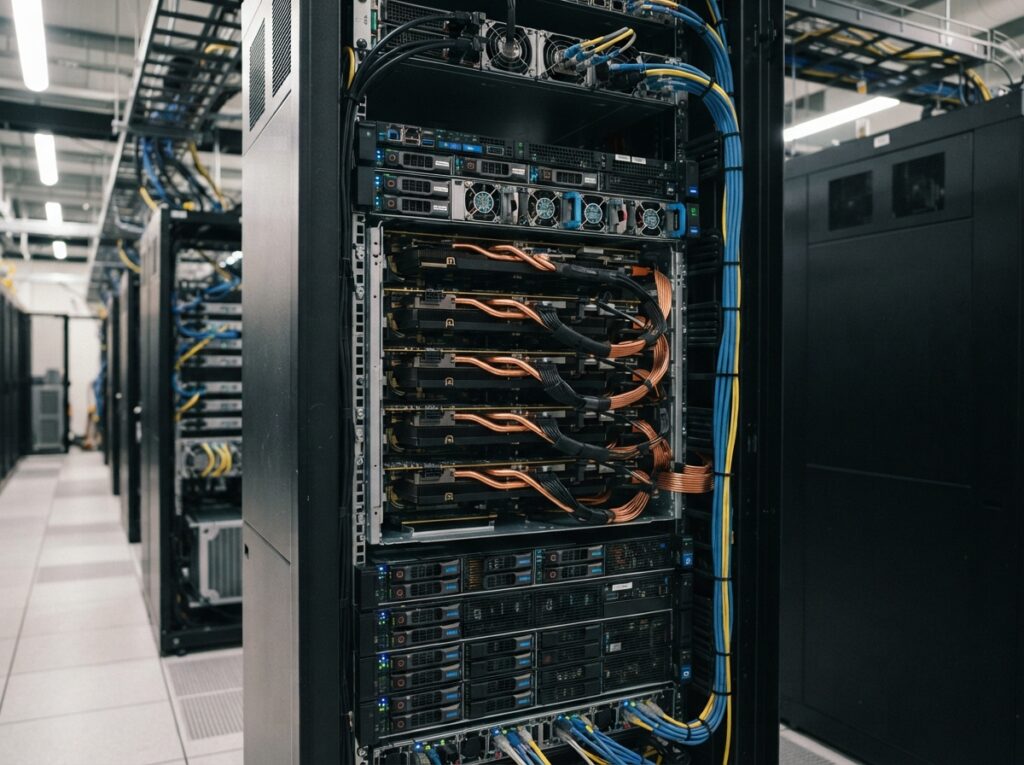
GPU infrastructure is an enterprise computing environment that combines GPU-enabled servers, high-speed storage, networking, and management software to support workloads requiring massive parallel processing.
Unlike traditional enterprise infrastructure designed primarily for transactional business applications, GPU infrastructure is optimized for data-intensive computing.
Many organizations deploy GPU resources using Elastic Cloud Servers (ECS), allowing compute capacity to scale as AI workloads grow.
CPU vs GPU: What's the Difference?
Both CPUs and GPUs play important roles in enterprise computing, but they are designed for different types of work.
A CPU is built to process a smaller number of complex tasks very quickly, making it ideal for operating systems, databases, ERP platforms, and business applications.
A GPU contains thousands of smaller processing cores that perform many calculations simultaneously. This parallel architecture makes GPUs highly effective for AI training, image processing, scientific computing, and advanced analytics.
CPU | GPU |
Optimized for sequential processing | Optimized for parallel processing |
Best for business applications | Best for AI and machine learning |
Handles fewer simultaneous calculations | Processes thousands of operations simultaneously |
Ideal for ERP, CRM, databases | Ideal for AI, analytics, computer vision, and rendering |
Instead of choosing one over the other, modern enterprise environments use CPUs and GPUs together to maximize performance.
Why Modern AI Depends on GPUs
Artificial intelligence models process millions—or even billions—of mathematical calculations during training and inference.
GPUs dramatically reduce the time required to complete these calculations by executing thousands of operations in parallel.
Without GPU acceleration, many AI projects would take significantly longer to train and become operational.
Common Enterprise GPU Workloads
Machine Learning
Train predictive models using structured and unstructured enterprise data.
Generative AI
Support large language models, AI assistants, document generation, and conversational AI applications.
Computer Vision
Analyze images and video for manufacturing quality inspection, medical imaging, retail analytics, and security monitoring.
Predictive Analytics
Process historical business data to improve forecasting, inventory planning, fraud detection, and operational decision-making.
Engineering & Scientific Computing
Accelerate simulations, modeling, research, and computational analysis.
Media Rendering
Support high-performance graphics rendering, animation, video processing, and visual effects.
Benefits of GPU Infrastructure
Faster AI Training
GPU acceleration significantly reduces the time required to train machine learning models.
Improved Application Performance
High-performance computing enables organizations to process larger datasets more efficiently.
Better Resource Utilization
GPU environments allow enterprises to consolidate demanding workloads without deploying dedicated hardware for every project.
Scalability
Organizations can increase GPU resources as AI initiatives expand rather than replacing existing infrastructure.
Modern Enterprise Cloud Solutions make it easier to scale compute resources based on evolving business requirements.
Future Readiness
Investing in GPU infrastructure prepares organizations for emerging technologies including generative AI, autonomous systems, intelligent automation, and advanced analytics.
Choosing GPU Infrastructure
Organizations should evaluate GPU infrastructure based on:
- Available GPU resources
- Compute scalability
- High-performance storage
- Secure networking
- AI software compatibility
- Monitoring and management capabilities
- Integration with existing enterprise systems
Organizations operating in regulated industries may also consider a Sovereign Cloud approach when deploying sensitive AI workloads.
GPU Infrastructure in Different Industries
Banking & Financial Services
Fraud detection, customer analytics, risk modeling, and intelligent automation.
Healthcare
Medical imaging, diagnostic support, clinical analytics, and healthcare research.
Manufacturing
Computer vision, predictive maintenance, production optimization, and quality inspection.
Government
Data analytics, public safety applications, intelligent automation, and digital services.
Retail
Recommendation engines, demand forecasting, customer behavior analysis, and inventory optimization.
Table of Index
Frequently Asked Questions
Answers to common questions about GPU infrastructure.
GPU infrastructure is a computing environment that combines GPU-enabled servers, storage, networking, and software to support AI, machine learning, analytics, and other high-performance workloads.
GPUs process thousands of calculations simultaneously, making them significantly faster than CPUs for AI training and inference.
No. CPUs and GPUs perform different functions and are designed to work together within modern enterprise infrastructure.
No. GPU infrastructure also supports scientific computing, rendering, engineering simulations, data analytics, cybersecurity research, and many other compute-intensive applications.
Yes. Cloud-based GPU environments allow organizations to increase computing resources as workload requirements grow.
Banking, healthcare, manufacturing, retail, government, research, engineering, telecommunications, and media organizations all benefit from GPU computing.
No. GPU infrastructure can be deployed in cloud, on-premises, or hybrid environments depending on organizational requirements.
Organizations should evaluate business objectives, workload requirements, scalability, AI strategy, infrastructure integration, and long-term operational needs before investing in GPU-enabled environments.
Key Takeaways
- GPU infrastructure is designed for high-performance, parallel computing workloads.
- GPUs complement CPUs rather than replacing them.
- AI, machine learning, computer vision, and analytics rely heavily on GPU acceleration.
- Cloud-based GPU infrastructure provides flexibility, scalability, and faster deployment.
- Investing in GPU-ready environments helps organizations prepare for future AI innovation.
Who powers the Indus Cloud ecosystem












Ready to Modernize Your Enterprise Infrastructure?
Whether you’re planning a cloud migration, expanding digital services, or preparing your organization for AI-driven innovation, Indus Cloud provides enterprise-grade cloud infrastructure designed to support your business today and into the future.